

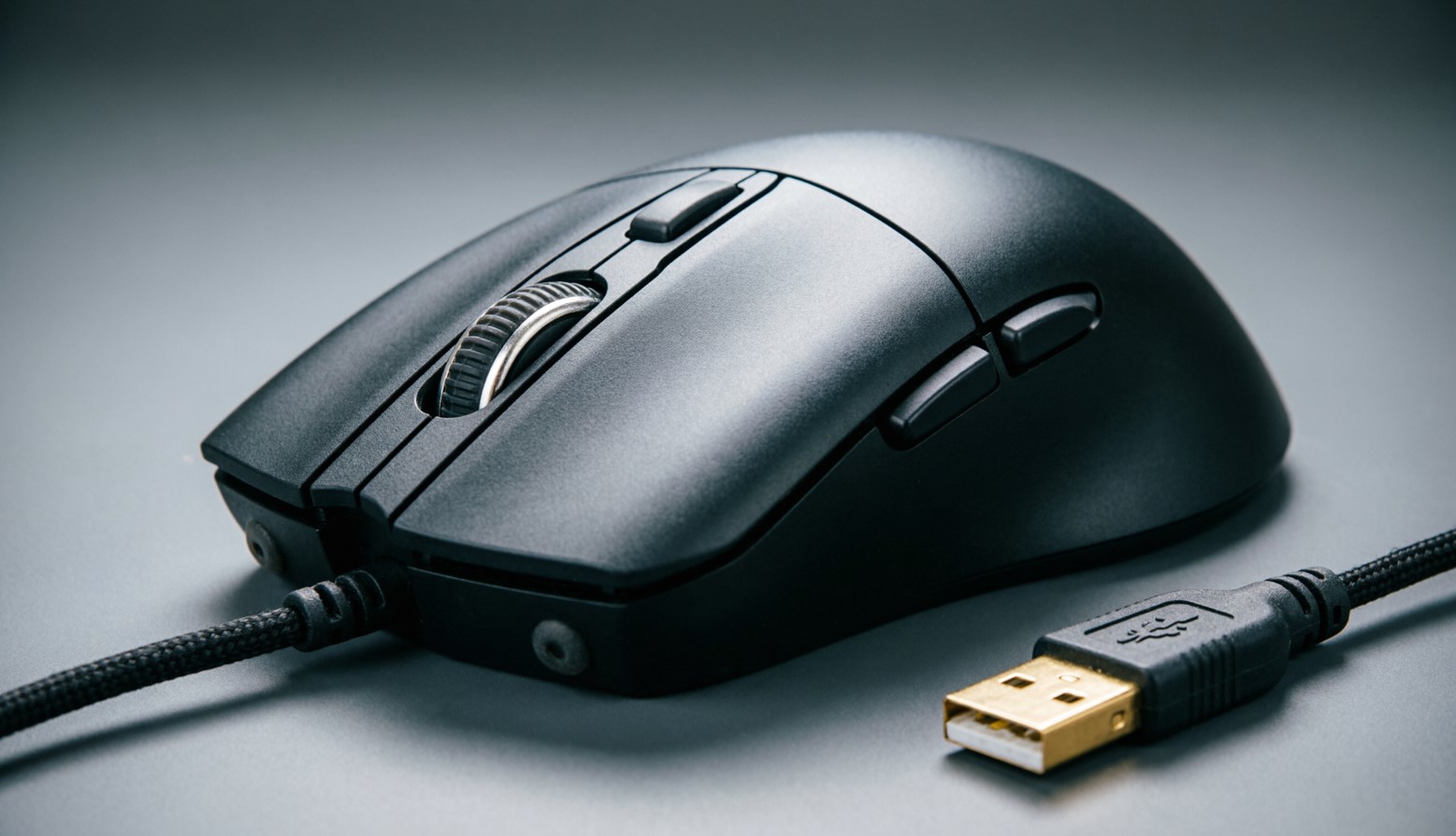
Wired Mouse for Gaming: Who’s Still Buying These, and Why
Scroll r/MouseReview for ten minutes and you’ll hit the same thread, reposted every few weeks, always with a slightly wounded tone: “why are ALL the new gaming mice wireless??” And the answers are always the same two camps. One half tells them they’re a few years late and to go buy a 35g wireless mouse. The other half quietly points at the Endgame Gear OP1 8k and says nothing else, because they don’t have to. Both are right. That’s what makes this interesting. A wired mouse for gaming is no longer the obvious pick it was in 2018. It’s also not the dinosaur people claim. It’s become a specific choice for specific people – and if you’re one of them, the cable is genuinely the correct answer. If you’re not, you’re paying a comfort tax for nothing.
Let’s figure out which one you are.
The “Wireless Has Lag” Myth Needs to Die
Right, first things first, because this is the reason half of you are here.
Modern 2.4GHz wireless is not laggy. Not “barely laggy.” Not “fine for casuals.” It’s genuinely, measurably within spitting distance of a cable, and has been for years now.
Here’s a number that should settle it. Somebody on r/MouseReview ran a reaction test – fifty trials each, interleaved, between an OP1 8k v2 (one of the fastest wired mice on earth) and a Logitech Pro X2 Superstrike (wireless). The result? A median of 126ms versus 123ms. That’s a three-millisecond gap, and it went in the wireless mouse’s favour, which is either a rounding error or a very funny reversal depending on your mood.
The tester’s own conclusion was the honest one: 3ms isn’t huge for most people, and with only fifty trials it might not even be real.
So if you’re buying a cable because you think the dongle is stealing your headshots – it isn’t. Put that down. There are better reasons.
The Actual Reasons to Go Wired
There are three, and they’re all real.
Money. This is the big one and nobody says it loudly enough. Wired mice are always going to be cheaper than a wireless mouse with the same internals, because you’re not paying for a battery, a radio, and a dongle. The NZXT Lift 2 packs a PAW3395 and optical switches for a price that would have been fantasy money three years ago. Budget picks like the VXE R1 land around $20 to $50 depending on the variant. That’s a serious mouse for the price of a takeaway.
No batteries. Ever. A wired mouse never dies at 40% in a ranked match. It never needs a charging dock, never has a firmware update that tanks its battery life, and never makes you do the little “let me just plug it in for ten minutes” dance mid-session. Some people find that peace of mind worth the cable on its own. Fair enough.
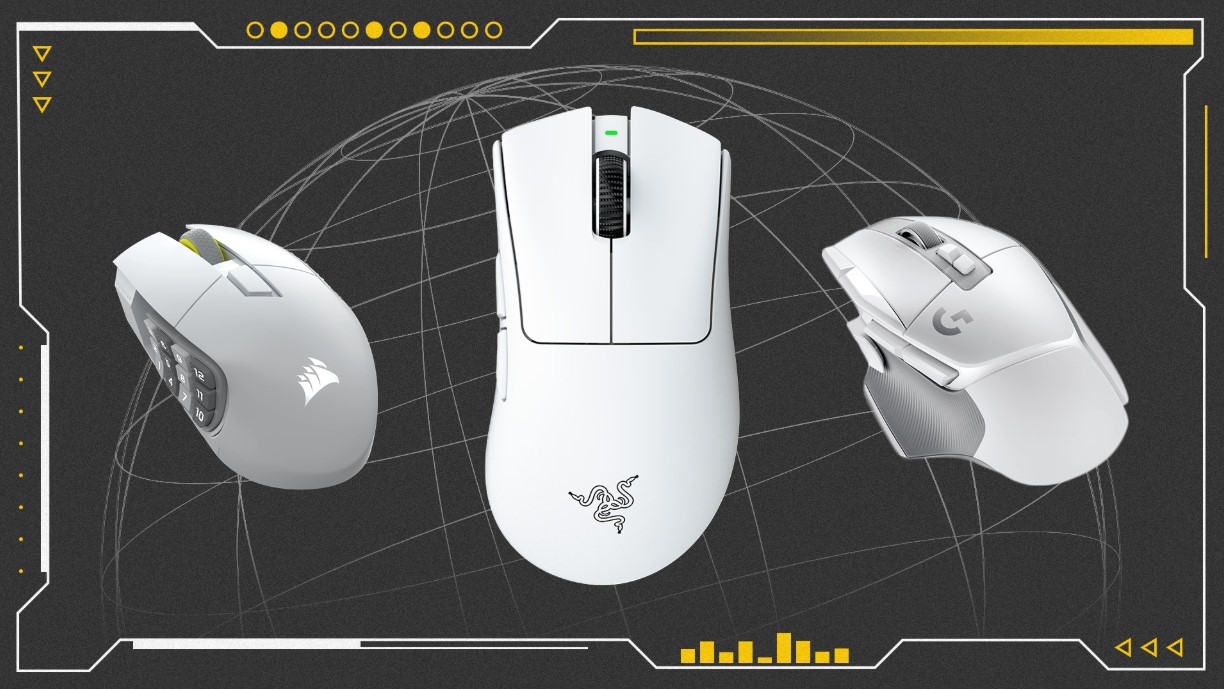
No power-saving compromises. This one’s technical but it matters. Wireless sensors have to manage their power budget. A wired sensor doesn’t. As ProSettings put it about the OP1 8K – with a wire, the 3395 can run at full force with no compromises. Same silicon, more headroom.
Add a fourth if you like: LAN reliability. There’s a reason Zowie kept selling wired mice long after everyone else went cordless, and why a whole generation of pros stuck with them. No dongle to lose, no interference in a crowded tournament hall, no battery to forget. Plug it in and it works.
| Reason People Go Wired | Does It Hold Up? |
|---|---|
| “Wireless has input lag” | No. The gap is around 3ms or less against top wireless. Not real. |
| “Wired is cheaper for the same specs” | Yes. Consistently, across every price bracket. |
| “No battery anxiety” | Yes. Nothing to charge, nothing to die mid-match. |
| “Wired mice are lighter” | No, not anymore. Wireless mice hit 35-38g now. |
| “Sensor runs without power-saving” | Yes, and it’s a genuine engineering advantage. |
| “More reliable at LAN” | Yes, and that’s why Zowie built a religion on it. |
The Cable Problem Nobody Wants to Admit
Okay. Here’s the catch, and I’d rather be honest about it than sell you a cable.
Cable drag is real. Not the fake, marketing kind of real – actually real, and it depends heavily on how you play.
One of the sharpest explanations of this came from a low-sensitivity player on r/MouseReview, and I’ve never seen it put better. They were running around 55cm/360 – proper big sweeping arm movements – and even with a super flexible cable, they could feel it drag during fast flicks. Then they moved to a more moderate sens, somewhere in the 32 to 37cm/360 range, and the drag stopped bothering them entirely.
Same mouse. Same cable. Different playstyle. Completely different verdict.
The same goes for weight. On an ultralight mouse – anything under about 30g – you can feel the cable is there. There’s simply not enough mouse to hide it. That’s a big part of why the sub-30g crowd went wireless and never looked back.
Two things fix most of this:
- A mouse bungee. Genuinely transformative, not an accessory scam. It lifts the cable off your desk and takes the tension out of the movement. Endgame Gear will throw one in free with an OP1 8k v2 for exactly this reason – they know the cable is the weak point.
- A modern flexible cable. Paracord-style cables are night and day compared to the stiff rubber horrors of a decade ago. Any decent wired mouse in 2026 ships with one.
Do both and the cable becomes something you stop noticing. Do neither and you’ll spend a week wondering why your flicks feel sticky.
Picking a Wired Mouse for Gaming Without Wasting Money
Here’s the rule, and it’s the one thing r/MouseReview agrees on unanimously across every thread, every year, forever:
Shape first. Everything else second.
Your hand size, your grip style, your sensitivity – those decide the mouse. Sensor, polling rate, and weight are tiebreakers, not starting points. A mouse with a perfect sensor and a shape that doesn’t fit you is a bad mouse. That’s it. That’s the whole hierarchy.
If you can, go to a shop and hold a few. It’s boring advice and it’s completely correct.
With that out of the way, here’s what’s actually good right now.
| Mouse | Roughly | What It’s For |
|---|---|---|
| Endgame Gear OP1 8k v2 | ~$70-90 | The enthusiast pick. PAW3950, Nuvoton M483 MCU, true 8000Hz, hot-swappable switches |
| Endgame Gear OP1 (non-8k) | ~$50 | Same shape, no 8K. Honestly fine for most people |
| Razer Viper 8KHz | Mid-range | Safe symmetrical shape, flawless sensor, 8000Hz. Long and flat, so check your grip |
| Zowie EC-C / S-C series | Mid-range | Tank build, optical scroll encoder, driverless. Specs are dated; nobody notices |
| NZXT Lift 2 (Ergo / Symm) | Budget | 3395 sensor, optical switches. Ergo runs large |
| VXE R1 / R1 Pro | ~$20-50 | The budget king. Solid feel, well-implemented sensor |
| Cooler Master MM712 / MM720 | Budget | Long-running community favourites, honeycomb shells |
That OP1 8k v2 deserves the extra word. PAW3950 sensor, true 8000Hz polling, Kailh GX mechanical switches you can hot-swap without soldering – the mouse literally ships with a screwdriver and expects you to open it. Endgame Gear designs their mice to be taken apart, which is genuinely unusual, and it’s why the enthusiast crowd rates them so highly.
The hot-swap thing matters more than it sounds. The single most common way a gaming mouse dies is switch failure – the dreaded double-click. On most mice that’s a soldering iron or a bin. On this one it’s four screws and a spare switch. That’s the closest thing to a mouse that outlives its warranty by design.
Zowie’s the other pillar. Their wired mice are, on paper, behind the curve – 1000Hz, older sensors, no software at all. And it genuinely does not matter, because sensors have been effectively flawless for the better part of a decade and Zowie’s tuning is famously consistent. Their build quality is absurd. One user described knocking their Zowie off the desk roughly twenty times courtesy of their cats. Still working.
Do You Actually Need 8000Hz?
Short answer: probably not, and you should know why before you pay for it.
8K polling means the mouse reports its position 8,000 times a second instead of 1,000. That’s a real reduction in the worst-case delay between moving your hand and the game hearing about it. It’s not fake. It’s just small – we’re talking fractions of a millisecond.
And it costs you something. High polling rates chew CPU cycles. On a machine that’s already struggling to hold frames in CS2 or Valorant, cranking to 8K can hurt more than it helps. Game support is inconsistent. And firmware bugs happen – there was a spell where a specific OP1 8k v1 firmware version caused problems in CS2, which Endgame Gear then patched.
So here’s the honest guidance:
- High-refresh monitor, CPU headroom to spare, competitive FPS? Sure, run 8K. You might feel it. Some people swear they do.
- Mid-range rig, 144Hz or 165Hz, mostly having fun? 1000Hz is completely fine and always has been. Every esports title in history was won on 1000Hz.
- Not sure? Buy the mouse for the shape, run it at 1000Hz, and try 4K/8K later. Most decent mice let you cycle polling rates with a button on the underside.
Don’t let a spec sheet number pick your peripheral for you. That’s how people end up with a mouse they hate holding.
So – Wired or Wireless?
Let me actually answer this instead of hedging:
- Go wired if: you’re on a budget and want the best internals per pound, you hate charging things, you play at moderate sensitivity, or you want a hot-swappable mouse you can keep alive for years. A good wired mouse at $50-70 will outperform a bad wireless one at $90, every single time.
- Go wireless if: you play at very low sensitivity with big arm sweeps, you want something under 40g, or you just don’t want a cable on your desk. The latency argument is settled and it’s not in the cable’s favour anymore. Modern wireless mice weigh 35 grams and last for days.
And here’s the uncomfortable truth for the cable loyalists – including me, some days. The reason the enthusiast community keeps arguing about this isn’t that wired is better. It’s that wired is enough, and has been for years, and there’s something quietly satisfying about a peripheral that just works with zero maintenance and zero ceremony.
That’s not nostalgia. That’s just a reasonable thing to want.
FAQ
Is a wired mouse actually faster than wireless?
Barely, if at all. Community testing between the OP1 8k v2 and a top-tier wireless mouse found a difference of around 3ms – well inside the margin of error, and it favoured the wireless one.
What’s the best wired gaming mouse right now?
The Endgame Gear OP1 8k v2 is the enthusiast consensus pick – PAW3950 sensor, true 8000Hz, hot-swappable switches. Zowie’s wired models are the choice if you want tournament-grade build quality over specs.
Are wired mice lighter than wireless?
Not anymore. Good wired mice sit around 50g; wireless models now hit 35-38g. The weight argument flipped a few years ago.
Does cable drag really matter?
It depends on your sensitivity. Low-sens players making big arm sweeps genuinely feel it. At moderate sens, with a flexible cable and a mouse bungee, most people stop noticing entirely.
Do I need 8000Hz polling?
Only if you’ve got a high-refresh monitor and CPU headroom to spare. High polling rates consume CPU, and every esports title ever won was won at 1000Hz.
Are cheap wired mice any good in 2026?
Surprisingly, yes. The VXE R1 and NZXT Lift 2 both pack proper modern sensors for budget money. Wired is where the value lives.
What kills a gaming mouse first?
Switch failure – the double-click problem. That’s why hot-swappable switches, like the Kailh GX setup in the OP1 line, are worth paying attention to.
The Bottom Line
The wired mouse for gaming didn’t lose. It got demoted from “default” to “deliberate,” and, honestly, that’s a healthier place for it. If the price is right, if you don’t want to think about batteries, if the shape fits your hand – plug it in and stop reading spec sheets. The cable is not costing you games. Your crosshair placement is.
Get a bungee. Get a shape you like. Go play.
P.S. Help amplify our latest work by sharing this post across your social media channels and adding it to your bookmarks for quick reference. Every share makes a huge difference in expanding our reach, but we are also actively looking to connect with you on a deeper level. If you are interested in exploring a creative or commercial collaboration, please write to the T-Minus team directly so we can bring your vision to life!