
SteelSeries Aeon Pro: Three Big Claims, Tested Against Reality
SteelSeries spent twenty-five years making headsets, keyboards and mice, then turned up to the premium controller fight asking $259.99 – sixty dollars more than Microsoft and Razer want for theirs. That’s a bold opening move for a first attempt. And the marketing leans on three specific promises: a battery that never runs out, instant switching between Xbox and PC, and an OLED screen that isn’t decorative. SteelSeries Aeon Pro reviews have been warm to glowing. But “warm” isn’t the same as “those three claims survive contact with your desk.” So let’s take each one apart, then deal with the problems nobody puts on the box.
What This Thing Actually Is?
Context first, because SteelSeries hasn’t been in this market before.
Until now the company’s controllers were entry-level mobile accessories – the Nimbus+, the Stratus+, the Nimbus Cloud – sitting around $70. The Aeon Pro is a complete departure, launched in September 2026 to mark the company’s 25th anniversary. SteelSeries was founded in 2001, and this is the flagship they chose to plant on that milestone.
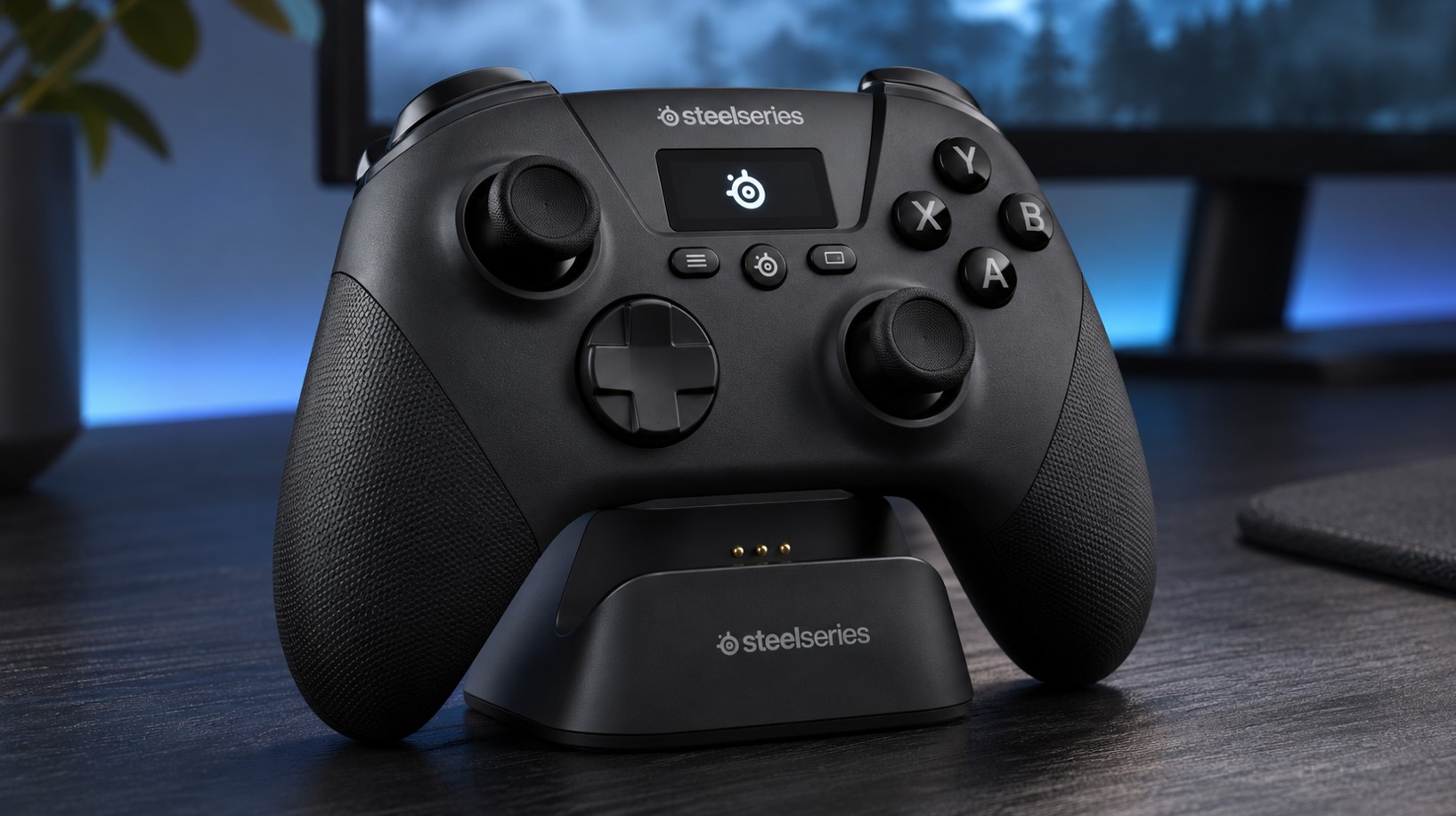
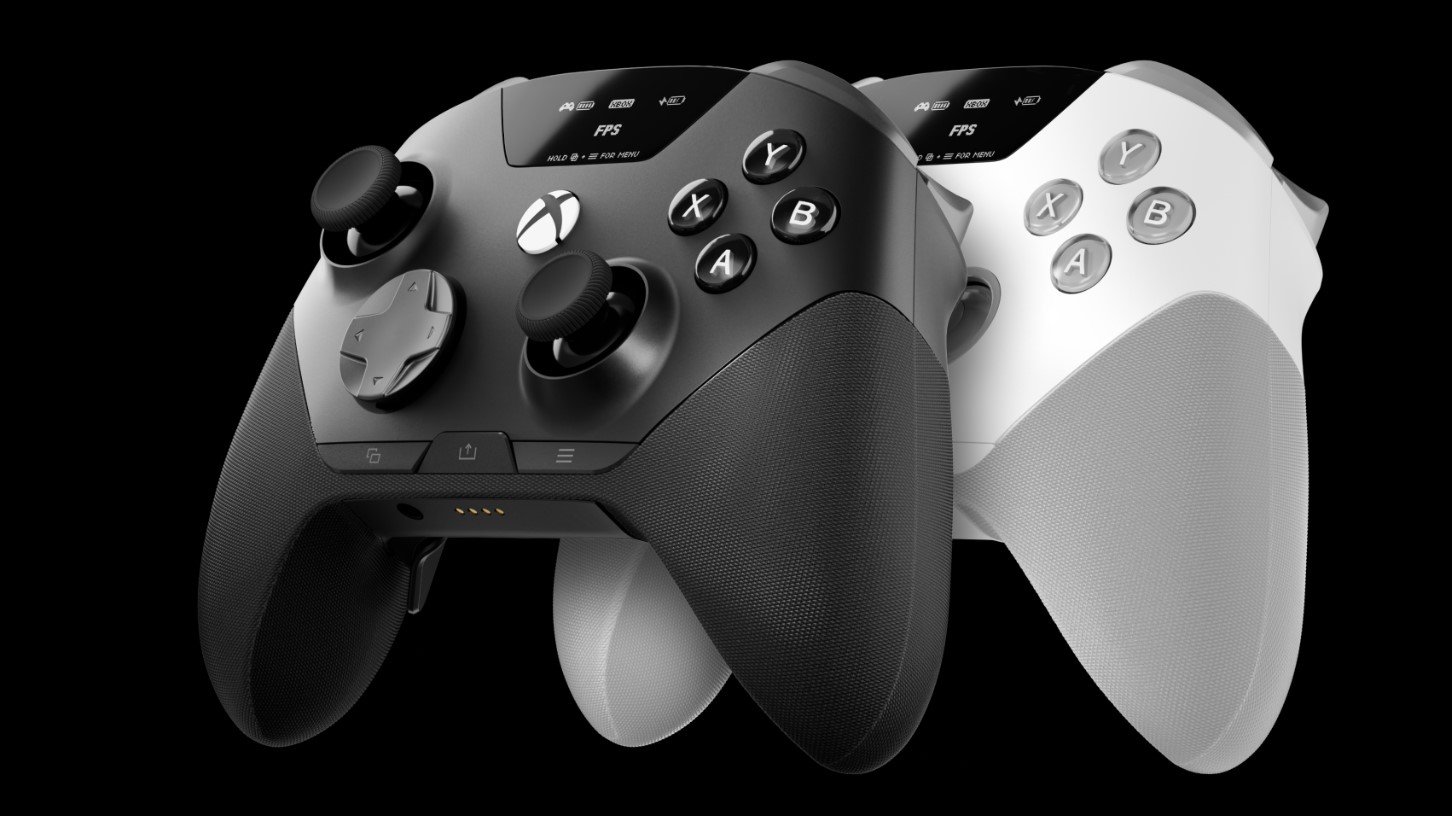
It’s a wireless controller for Xbox and PC, available in black or white, and it works with Windows, Xbox Series X|S, Xbox One, Steam Deck, SteamOS, iOS and Android. Hall Effect thumbsticks, mechanical switches rated for millions of clicks, a dock, two batteries, swappable stick caps, and an OLED display on the crown.
At 0.675 lbs it’s barely heavier than a standard Xbox Wireless Controller at 0.637 lbs, and roughly 10% lighter than an Elite Series 2. In the hand it reads as a slightly refined Xbox layout rather than a reinvention, which seems to have been the point.
Claim One: The Battery Never Runs Out
This is the headline, and SteelSeries calls it the Infinite Power System. Two hot-swappable battery packs ship in the box. One lives in the controller, the other sits charging in the dock. When the first dies, you swap it in a couple of seconds, tool-free, and carry on.
Does it work? Yes – with an asterisk that nobody should pretend isn’t there. “Infinite” depends entirely on keeping the spare charged and in the dock. Forget to re-seat the dead one and you’ve got an ordinary controller with a mediocre battery.
And the per-battery numbers are ordinary. From SteelSeries’ own support documentation:
| Connection | Polling Rate | Runtime Per Battery |
|---|---|---|
| PC wireless, no headset | 1,000 Hz | 11.5 hours |
| Xbox wireless via base station | 250 Hz | 12.5 hours |
| PC or Xbox with headset plugged in | 250 Hz | 12.5 hours |
| Bluetooth | 250 Hz | 14 hours |
Note the pattern: the fastest polling mode costs you about an hour of battery. SteelSeries confirmed that 1,000 Hz on PC is specifically why the PC figure is the lowest of the four. Plug a wired headset into the 3.5mm jack and the controller drops to 250 Hz on any platform – a deliberate trade to stretch runtime.
Some coverage cites up to 16 hours per battery for 32 hours total. Treat that as a best-case number; the support-documented figures above are what you’ll actually see.
Compare that to an Xbox Elite Series 2 rated at 40 hours and the Aeon Pro loses outright on raw endurance. But raw endurance is the wrong measure here. The Elite’s internal battery requires tools and partial disassembly to replace, and when it eventually degrades – and it will – you’re stuck. The Aeon Pro’s packs pop out in seconds.
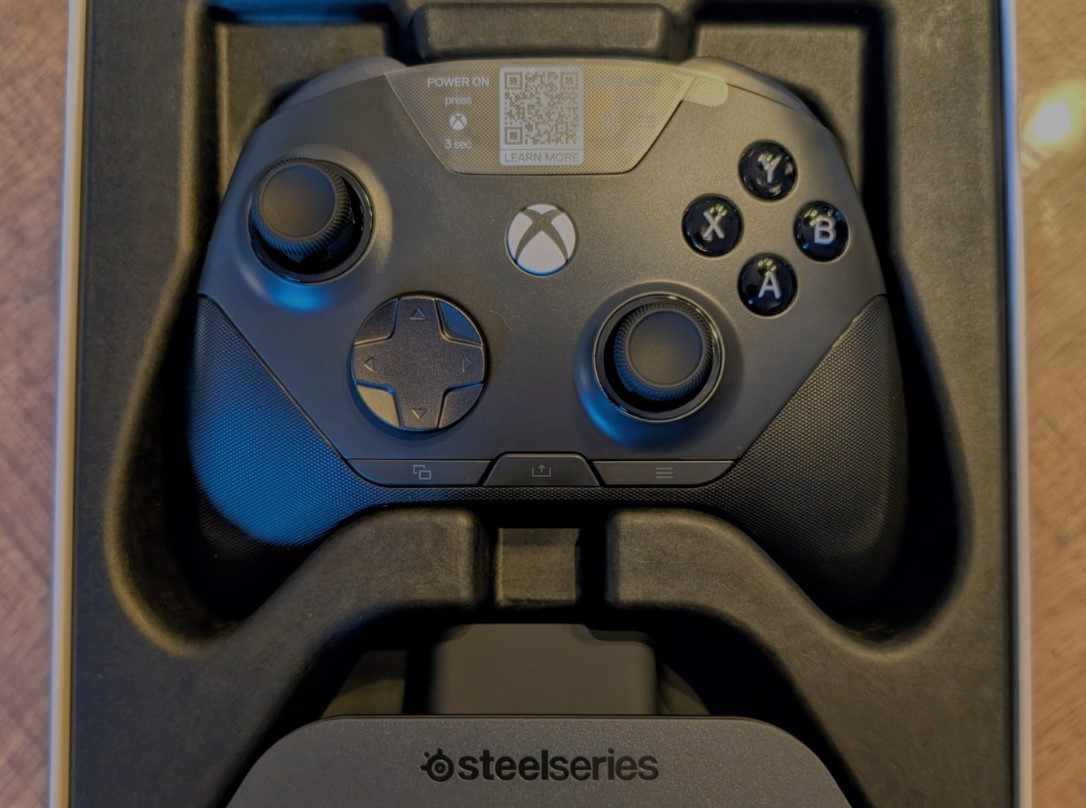
One genuinely clever touch for anyone already in the ecosystem: the batteries are cross-compatible with the Arctis Nova Pro, Nova Pro Omni and Nova Elite headsets. If you own one of those, you already have spares.
Verdict on claim one: holds up, provided you build the habit. It’s not infinite battery; it’s zero downtime, and those are different things.
Claim Two: The QuickSwitch Dock Is a World First
SteelSeries calls the QuickSwitch Dock System a patent-pending world first for PC and Xbox, and as far as anyone has been able to contradict them, it is.
The idea is simple and the execution is the selling point. The desktop base station has dual USB inputs. Run one to your PC and one to your Xbox, and the controller switches between them at the touch of a button – no re-pairing, no unplugging anything, no fishing a cable out from behind a console. Reviewers consistently report it recognising the active platform without even needing a manual mode swap.
For anyone whose desk hosts both a Windows gaming PC and an Xbox, this is the feature that justifies the whole purchase. It removes a daily friction that every other premium controller simply accepts.
The limitation is equally simple, and it’s a real one: both systems have to be physically near the dock. If your Xbox lives in the living room and your PC is upstairs, the headline feature does nothing for you. One reviewer tested it by bringing a gaming laptop over next to an Xbox Series X and reported it working flawlessly – which rather proves the point about co-location.
Verdict on claim two: it’s real, it’s genuinely useful, and it’s useless to maybe half the people who’d otherwise want it. Check your room layout before you check your bank balance.
Claim Three: The OLED Screen Isn’t a Gimmick
Screens on controllers have a poor track record. This one earns its place.
The OLED sits on the crown of the controller and functions much like the display on SteelSeries’ keyboards. From it you can switch between onboard configs loaded through GG, change devices, monitor battery, remap controls, and adjust haptics and stick circularity – all without opening software on a PC.
That last part is what makes it more than decoration. Onboard profile switching means your settings travel with the controller to a console where the desktop software doesn’t exist. Reviewers have singled out the configs specifically as the standout software feature.
Full customisation still runs through SteelSeries GG on PC – dead zones, rumble intensity, trigger adjustment, button remapping, saved profiles. But the screen means you aren’t tethered to it.
Verdict on claim three: holds up comfortably. This is the feature I’d expect competitors to copy.
Problems Worth Knowing Before You Buy SteelSeries Aeon Pro
Now the part the launch coverage was lighter on. None of these are dealbreakers on their own, but you should walk in knowing about them.
- Windows 10 causes real trouble. More on this below, because it deserves its own section.
- Day-one firmware was rough. The controller shipped with a meaningful list of defects, including failing to power on over wired Xbox connections, unstable Bluetooth, mishandled disconnections and inaccurate battery readings sent to the console.
- Firmware updating isn’t automatic. GG 123.0.0, released November 3, 2026, carries the fixes – but that’s the software suite version, not the controller firmware. You have to go into the Engine tab in GG and pull the device-specific patch down yourself. Plenty of owners won’t realise that.
- An Xbox Guide button quirk. One reviewer found the Guide button intermittently failing to open the Quick Menu across two separate units. SteelSeries couldn’t reproduce it, and the evidence points to a console-side issue rather than the hardware, but it’s been reported.
- Textured grips and the white model. A full textured grip picks up grime from even clean hands and is a pain to clean. If you’re buying, black is the practical choice.
- Charging priority is deliberate. Lower-power charging while docked and suspended was added in v3.4.0, and it applies to the controller battery only. The spare in the dock charges only while the system is awake, because the controller battery takes priority.
The Windows 10 Thing
This is the single most important thing to check before ordering, and it’s the issue that cost the controller points in multiple reviews.
On Windows 10, running the SteelSeries Aeon Pro in PC mode at 1,000 Hz polling has caused severe framerate and latency problems for several reviewers. One spent considerable time isolating the cause, then found another user reporting the identical symptoms on the SteelSeries subreddit. Another reviewer described “horrendous” framerate and latency issues that vanished entirely after upgrading to Windows 11.
There’s a related but separate wrinkle: some owners traced stuttering to Windows GameInput services, fixed by stopping and disabling two services in the services.msc panel. That one isn’t specific to SteelSeries – plenty of third-party wireless controllers hit the same conflict – but it’s worth knowing the symptom.
Workarounds for the Windows 10 problem are Bluetooth or wired connection instead of PC mode, or upgrading the OS. SteelSeries is aware and has said it’s working on a fix.
If you’re on Windows 11, none of this applies. If you’re still on Windows 10 – and with consumer support having ended, plenty of people are – factor this in heavily.
How It Compares at $259.99?
| Controller | Price | Sticks | Battery | Standout Feature |
|---|---|---|---|---|
| SteelSeries Aeon Pro | $259.99 / £229.99 | Hall Effect | ~11.5-14 hrs per pack, two packs | QuickSwitch Dock, hot-swap batteries, OLED |
| Xbox Elite Series 2 | ~$167-200 | Standard | Up to 40 hrs | Deepest swappable-parts variety |
| Razer Wolverine V3 Pro | ~$200 | Hall Effect | Shorter | Lighter in the hand |
| Turtle Beach Stealth Ultra | ~$200 | Hall Effect | – | Built-in display |
| Nacon Revolution X Unlimited | ~$200 | Hall Effect | – | Extensive physical customisation |
The honest framing is the one several reviewers landed on independently: you are paying a $60 to $70 premium over the closest pro-grade rivals, specifically for the dock and the battery ecosystem. Nothing else in that table gives you both.
Whether that’s worth it is almost entirely a question of whether you’ll actually use the dock. If yes, the premium buys something no competitor offers. If no, you’re overpaying for hardware that’s otherwise comparable.
The Elite Series 2 comparison is the one most buyers will run, and it splits cleanly. Microsoft wins on battery endurance and sheer variety of swappable parts. SteelSeries wins on modern internals – Hall Effect sticks, mechanical face buttons, onboard OLED, tool-free battery replacement – against a flagship that is now six years old and showing it. One reviewer put it bluntly: they’d take the Aeon Pro over an Elite Series 2, and called it possibly the best hybrid Xbox/PC controller available.
The TMR Question
One legitimate spec-sheet criticism, and it’ll matter to a certain kind of buyer.
The Aeon Pro uses Hall Effect sensors. That’s a substantial upgrade over the standard potentiometers in an Elite Series 2 – magnets instead of physical contact, which eliminates stick drift. No argument there.
But several newer and cheaper controllers have moved to TMR sensors, which are more precise and more power-efficient than Hall Effect. The Aeon Pro doesn’t have them. At $259.99, being behind on stick technology while charging the most money is a fair thing to point at, and some of those cheaper pads also ship with extra bumper buttons the Aeon Pro lacks.
It’s not a performance problem in practice. It is a value argument, and if you buy hardware on spec sheets it’s the strongest case against this controller.
Who Should Actually Buy the SteelSeries Aeon Pro Controller?
Buy it if:
- Your desk has both a gaming PC and an Xbox on it. This is the whole pitch. Nothing else solves the switching problem this cleanly.
- You already own Arctis Nova Pro, Nova Pro Omni or Nova Elite headsets. Shared batteries turn an expensive ecosystem into a convenient one.
- You’ve killed controllers through battery degradation before. Tool-free replaceable packs mean this one outlives its cells.
- You run Windows 11 and play long sessions. Zero downtime is a genuine quality-of-life change once you build the swap habit.
Skip it if:
- You’re still on Windows 10. Wait for the fix or buy something else.
- Your Xbox and PC are in different rooms. You’d be paying a $60 premium for a feature you can’t physically use.
- You want maximum battery life above all. The Elite Series 2’s 40 hours is nearly double the Aeon Pro’s combined figure.
- You buy on specs. Cheaper pads now ship TMR sticks and extra bumpers.
- You need it to work on PlayStation. It doesn’t. This is Xbox and PC.
FAQ
How much does the SteelSeries Aeon Pro cost?
$259.99 in the US and £229.99 in the UK, available in black or white directly from SteelSeries and at major retailers.
What platforms does it work with?
Windows, Xbox Series X|S, Xbox One, Steam Deck, SteamOS, iOS and Android. It does not support PlayStation.
Is the battery really infinite?
Not literally. Two hot-swappable packs ship in the box – one runs while the other charges in the dock. Individual runtimes range from 11.5 to 14 hours depending on connection.
Does the Aeon Pro work over Bluetooth?
Yes, alongside the dock-based Xbox and PC connections. Bluetooth also gives the longest runtime at around 14 hours.
Why is my framerate dropping with the Aeon Pro?
Most likely a Windows 10 conflict with PC mode at 1,000 Hz polling. Try Bluetooth or wired, check for Windows GameInput service conflicts, or upgrade to Windows 11. SteelSeries is working on a fix.
Do I need to update the firmware?
Yes. GG 123.0.0 from November 3, 2026 addresses several launch bugs, but you must pull the controller firmware manually from the Engine tab in SteelSeries GG.
Is it better than the Xbox Elite Series 2?
For modern internals and battery convenience, yes. The Elite still wins on raw battery life and swappable-part variety, and it’s considerably cheaper.
The Short Version
All three headline claims hold up, with caveats that are mostly about your room rather than the hardware. The battery system delivers zero downtime rather than infinite power. The dock is genuinely a first and genuinely useful, if both machines sit within cable reach. The OLED earns its place.
What you’re really deciding is narrower than the price tag suggests: does your setup match the one SteelSeries designed this for? If it does, the $60 premium buys something nobody else sells. If it doesn’t, an Elite Series 2 at two-thirds the price will serve you fine.
Update the firmware before you form an opinion, though. A lot of early complaints were fixed on November 3 and plenty of owners still don’t know they need to go and fetch it.
If this saved you from diagnosing a Windows 10 stutter at midnight, pass it along – share it, bookmark it, forward it to whoever’s got an Xbox and a PC fighting over one desk. And if you’ve got a creative or commercial project that needs a hot-swappable team, T-Minus is already charged and waiting in the dock.