

Can I Play Steam Games on Xbox Without Losing My Mind?
Picture the setup. You’ve got a comfy couch, a big TV, an Xbox humming away under it, and a Steam library stuffed with games you grabbed during the last big sale. So naturally the question pops into your head: can I play Steam games on Xbox, or are these two worlds just never going to talk to each other?
Here’s the short version. It’s not a flat yes, and it’s not a flat no. The answer lands somewhere in the messy middle – and honestly, that middle got way more interesting over the past year.
Let me explain what’s actually going on, because there’s a fair bit of confusion floating around forums and Reddit threads. Some folks swear it’s impossible. Others post screenshots of Cyberpunk running on their Series X like it’s no big deal. Both of them are kind of right, which is exactly why this whole topic feels like a riddle.
The Short Answer Before You Scroll
If you own a regular Xbox console – a Series X, a Series S, or even an old Xbox One – you cannot install the Steam app straight onto it. That door is locked. Microsoft’s console runs its own walled-off operating system, and it won’t run Windows programs or the Steam client the way your PC does.
But – and this is the fun part – you can still get your Steam games onto that screen. Through streaming. And if you’ve got one of the newer Xbox-branded handhelds, the story flips completely, because those things run Steam natively without breaking a sweat.
Stick around. The details matter here, and a couple of them might genuinely surprise you.
Why Your Xbox Won’t Just Install Steam?
Let’s get the technical bit out of the way, since it explains everything that follows.
Your Xbox Series X or Series S runs a locked-down version of the Xbox OS. It’s built for one job: running games made and approved for Xbox. It doesn’t open .exe files. It doesn’t know what a Steam client even is. Think of it like a vending machine that only takes one specific brand of coin – drop in anything else and nothing happens.
That’s by design, not laziness. A closed system is easier to optimize, easier to secure, and it keeps the storefront tidy. The trade-off? You’re stuck buying through the Microsoft Store, and your shiny Steam backlog sits there on your PC, taunting you from across the room.
There’s also a business wrinkle worth knowing about. Microsoft takes a cut of every game sold on Xbox. Valve takes a cut of every game sold on Steam. Until those two giants shake hands on how to split the money for a Steam game played on an Xbox, a native app stays parked in the “maybe someday” pile. Money talks, and right now it’s mumbling.
Can I Play Steam Games on Xbox Series X and Series S?
Right, the big one. On a Series X or Series S, you can’t download a single Steam game to the hard drive. No local installs. Period.
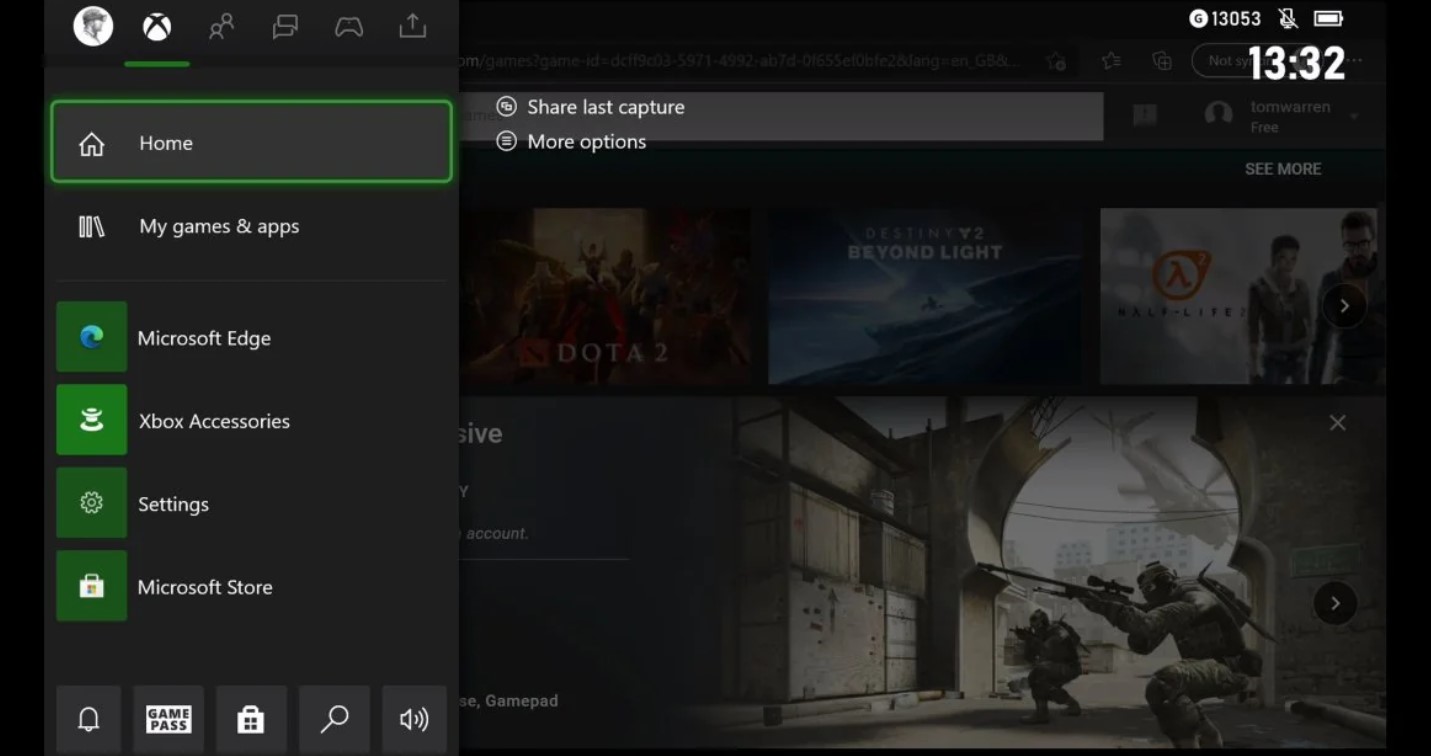
What you can do is stream them. The console ships with the Microsoft Edge browser baked in, and that browser is your secret passage. Through Edge, you can reach cloud services that run the actual game somewhere else and beam the video straight to your TV. Your controller still works. Your saves still live on Steam. You’re playing – you’re just not running the game on the Xbox itself.
It’s a workaround, sure. But for a lot of single-player games, it’s smooth enough that you forget there’s a clever trick happening behind the curtain.
The Streaming Workarounds That Actually Work
Okay, so streaming is the move. But which flavor? There are three solid paths, and they suit different setups. Here’s the quick rundown:
- GeForce Now – Nvidia’s cloud servers run the game for you. No gaming PC required. You just need a fast connection and a Steam account to link.
- Steam Link (web app) – Streams a game from your own gaming PC, over your home network, to the Xbox through the browser. Free, low latency, but you need a capable PC switched on.
- Steam Remote Play – Valve’s built-in streaming feature, also pulling from your own machine. Great for couch play when the PC’s in another room.
| Method | What You Need | Best For | Catch |
|---|---|---|---|
| GeForce Now | Edge browser, Nvidia account, fast internet | Players with no gaming PC | Free tier caps sessions at one hour |
| Steam Link (web) | Edge browser, a gaming PC on the same network | Folks who already own a strong PC | PC has to stay powered on |
| Steam Remote Play | Edge browser, a host PC, Steam account | Single-player and slower-paced games | Twitchy shooters can feel laggy |
A quick reality check on all three: streaming lives and dies by your internet. Plug in an Ethernet cable if you possibly can. Wi-Fi works, but a wired line into your Xbox cuts down input lag in a way you’ll feel the second a fight gets hectic. Trust me, nothing kills the vibe like a half-second delay between your thumb and the screen.
Setting Up GeForce Now in the Edge Browser
This is the route I’d point most people toward, mainly because it asks the least of you. No PC, no fuss.
- Fire up your Xbox and head to My Games & Apps, then track down Microsoft Edge – it’s pre-installed, so there’s nothing to download.
- Pop open the browser and type the GeForce Now web address into the bar. Sign into your Nvidia account, or make one if you’re new to it.
- From there, jump into the settings and link your Steam account. Once that handshake’s done, your library shows up like magic.
- Grab your controller – the browser detects it automatically – pick a game, and hit play. Worth noting: you’ve got to actually own the game on Steam first. GeForce Now streams what you own; it’s not a free buffet.
The free plan gets you going, though it leans on shorter sessions and lower priority. Paid tiers stretch those sessions out, hand you faster servers, and push quality higher. If you’re a weekend warrior, the free option might be plenty. If you’re sinking forty hours into an RPG, the upgrade pays for itself in peace of mind.
Steam Link and Remote Play From Your Own PC
Got a gaming rig already? Then you don’t even need the cloud. You can lean on your own hardware.
The Steam Link web app runs right inside Edge on the Xbox. Open the browser, head to the Steam Link site, and connect to your PC over the same network. Your computer handles all the heavy lifting; the Xbox just shows the picture. On a solid 5GHz Wi-Fi signal – or better yet, that Ethernet cable I keep nagging about – it feels shockingly close to native.
Remote Play is the cousin of this approach. Same idea: your PC hosts, the Xbox watches. It shines brightest with single-player adventures and games that don’t demand split-second reflexes. A cozy farming sim? Perfect. A ranked competitive shooter? You might notice the lag creeping in. Pick your battles.
The Plot Twist – Xbox Handhelds Run Steam for Real
Here’s where things get juicy. Everything above applies to the console. But “Xbox” isn’t only a black box under your TV anymore.
Microsoft and Asus teamed up on the ROG Xbox Ally and the beefier ROG Xbox Ally X, two handheld gaming machines wearing the Xbox name. And here’s the kicker – these are full Windows 11 devices underneath. Which means they run Steam. Natively. Locally. No streaming gymnastics required.
You read that right. On an Xbox-branded handheld, you can install Steam, download your games to local storage, and play them offline like you would on any gaming laptop. It’s a totally different animal from the console.
Can I Play Steam Games on Xbox Handhelds Like the ROG Ally?
Absolutely yes, and it’s honestly the cleanest way to get the whole Steam-plus-Xbox dream in one device.
When you boot up a ROG Xbox Ally, it drops you into the Xbox full-screen experience – a tidy, controller-friendly interface that pulls your games together so you’re not fumbling through a desktop with tiny icons. Steam games sit right alongside Game Pass titles. You launch them from one spot. And because there’s real Windows 11 sitting under the hood, you can drop to the desktop anytime you want to mod a game or wrangle some indie title that doesn’t play nice with launchers.
Microsoft rolled that full-screen experience out wider, too. Back in late November 2025, it went generally available across all gaming handhelds already on the market, not just the Asus models. So if you own a different Windows handheld, you can grab a slice of this as well.
Now, a dose of honesty, because I’m not here to oversell. The custom Windows build still trails Valve’s SteamOS on raw performance in head-to-head tests – by a noticeable margin in some games. Microsoft trimmed background processes to claw back memory for games, and it helped, but the gap hasn’t closed. So if you’re chasing every last frame, that’s worth weighing. Still, for the convenience of one device that does both, plenty of players will happily take the trade.
Here’s how the two worlds stack up:
| Xbox Device | Runs Steam Natively? | How You’d Play Steam Games | Local Installs |
|---|---|---|---|
| Xbox Series X / Series S | No | Cloud or PC streaming through Edge | Not possible |
| Xbox One | No | Cloud or PC streaming through Edge | Not possible |
| ROG Xbox Ally / Ally X | Yes | Install Steam, play directly | Fully supported |
| Other Windows 11 handhelds | Yes | Install Steam, full-screen Xbox shell | Fully supported |
See the split? The word “Xbox” now covers two very different experiences. One locks Steam out at the hardware level. The other welcomes it with open arms.
The Aggregated Library Is Quietly a Big Deal
This one slipped under a lot of radars, but it’s a genuine shift in how Microsoft thinks.
The Xbox app on Windows now does something called an aggregated gaming library. In plain terms: it scans your machine, finds every game you’ve installed from different stores, and lists them all in one place. Steam, Epic, Battle.net, GOG – they all show up together inside the Xbox app, each tile tagged with a little icon so you know where it came from.
Click a game, and the app either launches it straight or hands off to the proper launcher when DRM or anti-cheat demands it. No more bouncing between five different clients to find the thing you want to play. Here’s what lands in that unified view:
- Your Xbox and Game Pass titles, naturally
- Steam games you’ve installed locally
- Epic Games Store and GOG titles
- Battle.net staples like the big Blizzard franchises
- A “most recent” shelf so you can jump back into whatever you played last
Microsoft’s own people called it “just the beginning,” promising more storefronts over time. The vision they keep repeating is making every screen an Xbox. Cheesy slogan? Maybe. But the aggregated library is real, it’s shipping, and it tells you exactly which direction the company’s leaning.
Funny thing is, tools like GOG Galaxy and Playnite have done multi-store wrangling for years. Microsoft showing up to the party late doesn’t make it less useful – it just means the feature’s now baked into something millions of people already open every day.
What About the Next Xbox? The PC-Console Rumors
So if the handhelds run Steam and the PC app gathers everything together, the obvious question is: will the next actual Xbox console finally let Steam in?
Reports point that way, though nothing’s locked in yet, so take this with a healthy pinch of salt. Reporting from Windows Central suggests the next-generation Xbox is being built to act more like a PC – running your entire existing Xbox back catalog natively while also opening the door to PC storefronts like Steam. New AMD silicon is supposedly in the mix, signed off at the highest levels inside Microsoft.
Gaming boss Phil Spencer has spent years talking about tearing down the “walled gardens” of consoles. He’s openly said he’d like to see other stores live on Xbox. If the rumors hold, the next box could be the first mainstream console where buying a game on Steam and playing it on your TV is just… normal.
There’s a twist, though. Valve isn’t sitting still. The company’s own Steam Machine is lined up to land in early 2026 – a living-room PC built to feel like a console, running your full Steam library out of the gate. So Microsoft’s big idea might get some company on the shelf before its console even arrives. The next couple of years in the living room could get spicy.
For now, treat all of this as “watch this space.” Promising signals, real reporting, but no shipping product you can buy and prove it with. The walled garden’s gate is creaking. It hasn’t swung open on a console just yet.
Console vs Handheld vs Cloud – Which Route Fits You?
Let’s tie this together, because the right answer really depends on what hardware you’ve got and how much fuss you’ll tolerate.
If you only own a Series X or Series S and a Steam backlog, streaming is your lane. GeForce Now if you lack a gaming PC, Steam Link or Remote Play if you’ve got one. It works, it’s free-ish, and it gets your games on the big screen tonight.
If you’re shopping for something new and the dream is one gadget that plays both Game Pass and your Steam pile, a ROG Xbox Ally – or any capable Windows handheld – is the cleanest answer going. Native installs, offline play, the whole deal.
And if you’re the patient type? Keep an eye on the next console generation. The pieces are clearly being arranged for a more open future. Whether that future ships on schedule is anyone’s guess.
A few honest things to keep in mind before you commit:
- Streaming needs strong internet. A flaky connection turns a great game into a stuttery mess.
- Anti-cheat can block some titles. Certain multiplayer games still refuse to run outside their home turf, streamed or on Linux-based handhelds.
- Handhelds trade some performance for flexibility. The custom Windows shell isn’t quite at SteamOS levels yet.
- Free cloud tiers have limits. Session caps and queues come with the no-cost plans.
None of these are dealbreakers. They’re just the fine print nobody reads until something goes sideways. Now you’ve read it.
FAQ
Can I install the Steam app directly on my Xbox console?
No. The Series X, Series S, and Xbox One run a closed operating system that won’t run the Steam client or any Windows program. Streaming is the only console route.
Is GeForce Now free on Xbox?
There’s a free tier, yes, but it caps sessions at around one hour and gives you lower priority. Paid plans stretch sessions longer and serve up faster, sharper streaming.
Do I need a gaming PC to play Steam games on my Xbox console?
Not for GeForce Now – that runs the game on Nvidia’s servers. But Steam Link and Remote Play both pull from your own PC, so those two need a capable machine at home.
Does the ROG Xbox Ally count as a real Xbox?
It wears the Xbox name and boots into the Xbox full-screen experience, but underneath it’s a Windows 11 PC. That’s exactly why it runs Steam natively, unlike the consoles.
Will the next Xbox console support Steam natively?
Reports suggest the next-gen console is being built to behave more like a PC, possibly opening the door to Steam. Nothing’s confirmed, so treat it as a strong rumor for now.
Why is there no native Steam app on Xbox yet?
Two reasons. The console’s locked OS can’t run it, and Microsoft and Valve haven’t agreed on how to split the money when a Steam game gets played on Xbox hardware.
Does Steam streaming work with a regular Xbox controller?
Yep. The browser detects your Xbox controller automatically, and you navigate menus and play games with the gamepad just like normal.
So, Is It Worth the Hassle?
Let’s land this plane. The question – can I play Steam games on Xbox – has finally grown a real, satisfying answer, and it’s a lot warmer than it was a couple of years back.
On a console, you’re streaming. It takes a few minutes to set up GeForce Now or hook into your own PC, and from then on your Steam library lives on the big screen. Not native, not perfect, but genuinely good for most games. On a handheld wearing the Xbox badge, you skip all of that and just install Steam like you would anywhere else.
And the bigger picture? Microsoft keeps inching toward a world where the storefront barely matters and your games just follow you around. The aggregated library, the full-screen handheld shell, the next-console whispers – they all point the same way. The walls aren’t down yet. But they’re getting awfully short.
So grab that Ethernet cable, link up your accounts, and go play the backlog. Your Steam sale guilt has waited long enough.
P.S. Champion our team’s mission by sharing this post online across your social media channels and adding this content to your bookmarks. Furthermore, you are encouraged to write to the T-Minus team directly if you seek creative or commercial collaboration. Your continued online support and potential partnership inquiries are exactly what drive us to keep pushing the boundaries of our industry.