

Switch OLED vs Switch: What’s Really Different Here?
Look, Nintendo dropped the Switch OLED back in October 2021, and gamers have been scratching their heads ever since. Is it worth the upgrade? Should you stick with your trusty original Switch? Honestly, the answer depends on how you play.
The original Switch launched in March 2017 and completely changed how we think about gaming. You know what? It wasn’t just another console – it was freedom. Couch gaming one minute, portable the next. But then Nintendo threw us a curveball with the OLED model, and suddenly everyone’s wondering if their current Switch feels… outdated.
Here’s the thing – both consoles play the exact same games. They run the same software, connect to the same eShop, and deliver identical performance under the hood. So why the upgrade? Well, Nintendo focused on quality-of-life improvements rather than raw power. And for some players, those tweaks matter more than you’d think.
The Screen Showdown: OLED Magic vs LCD Reality
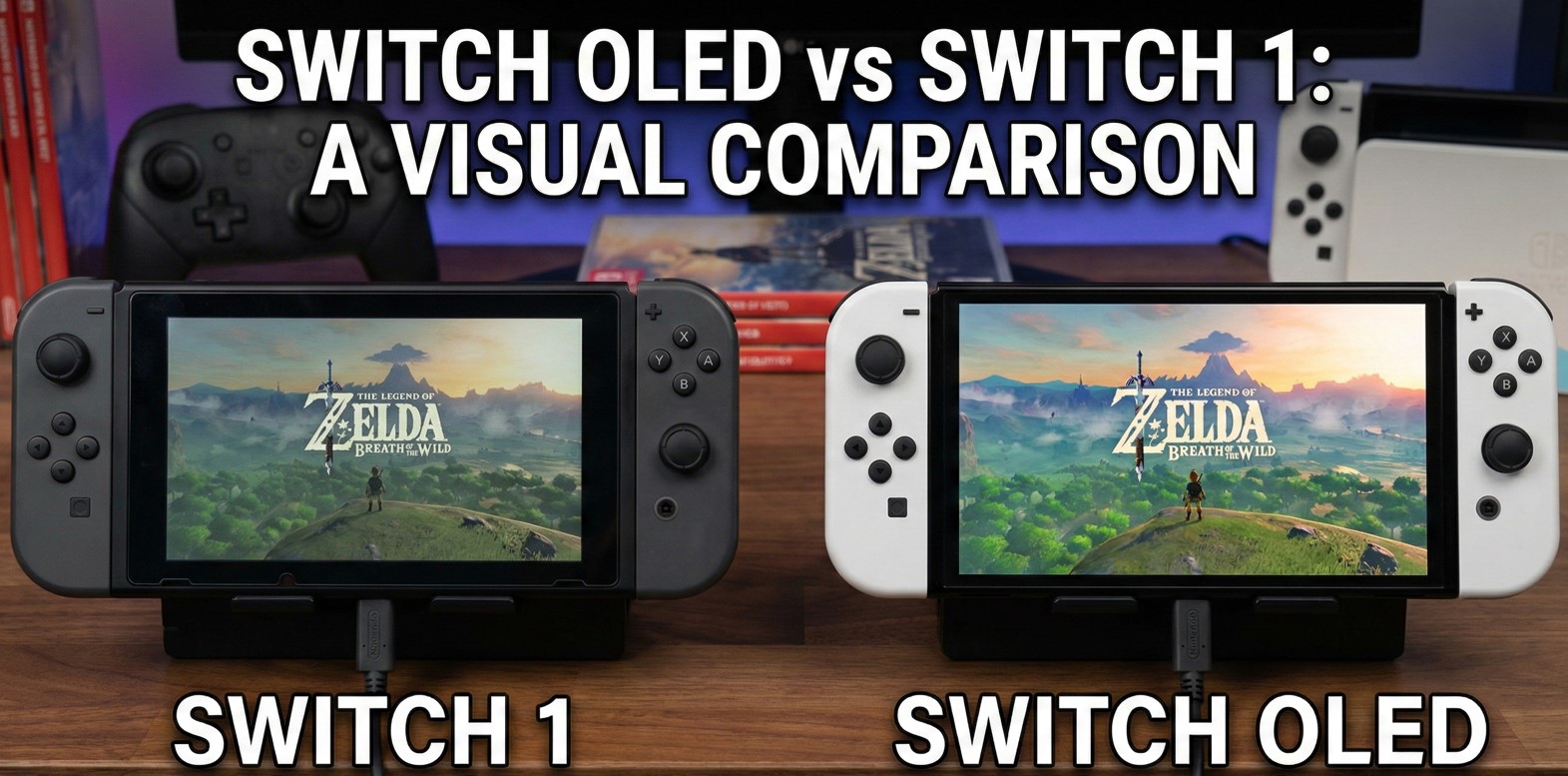
This is where things get interesting. The Switch OLED rocks a 7-inch OLED display, while the standard Switch makes do with a 6.2-inch LCD screen. But size isn’t everything, right?
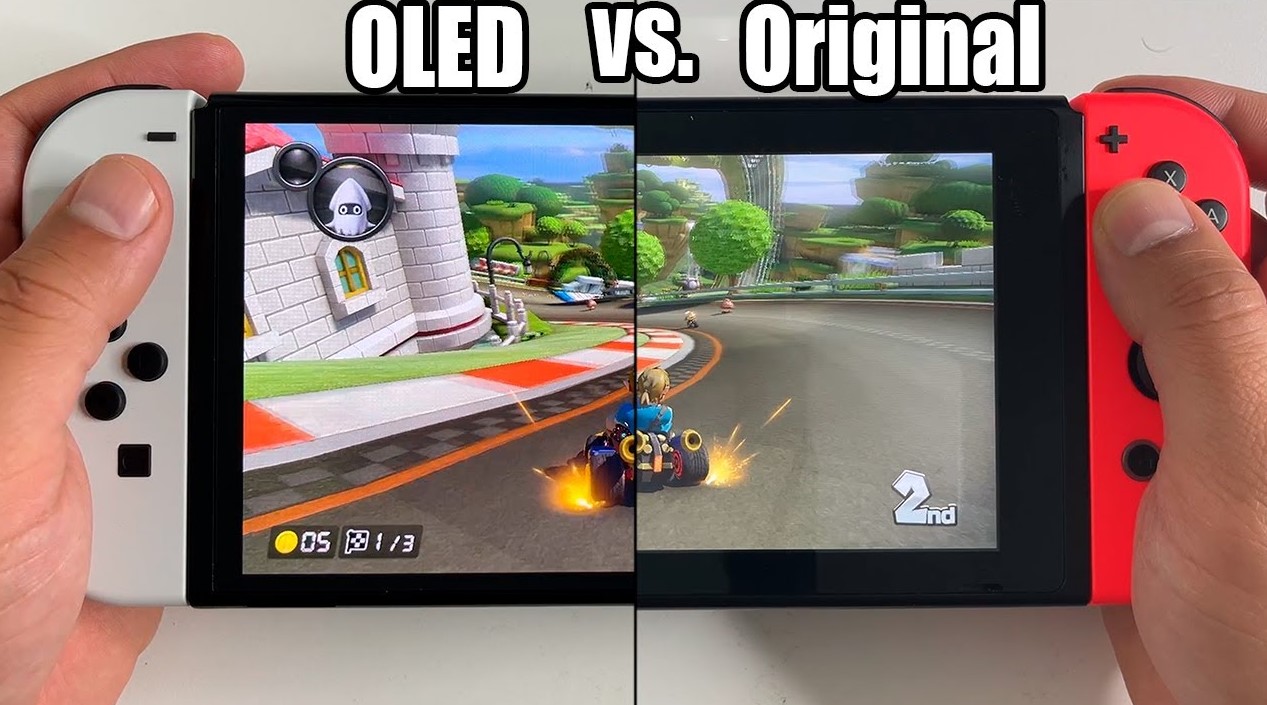
OLED technology brings deeper blacks, punchier colors, and contrast that makes games like Hollow Knight or Metroid Dread absolutely pop. When you’re exploring dark caves or vibrant alien worlds, that OLED panel transforms the experience. Colors feel richer, shadows actually look shadowy, and the whole image just has this premium quality that’s hard to ignore once you’ve seen it.
The standard Switch’s LCD screen? It’s perfectly fine. Functional. Gets the job done without complaints. But put them side by side, and the difference smacks you in the face. It’s like watching a 4K movie after years of DVD quality – you can’t unsee it.
Gaming in handheld mode becomes a completely different beast with that OLED screen. Metroid Dread’s atmospheric environments gain depth. Animal Crossing’s colorful villages feel more inviting. Even something like Mario Kart 8 Deluxe benefits from the improved color accuracy during those Rainbow Road runs.
But here’s a catch – if you mostly play docked on your TV, this upgrade barely matters. You’re using your TV’s display anyway, so that gorgeous OLED panel sits unused. And that’s a consideration worth thinking about before dropping extra cash.
Build Quality and Design: More Than Just a Pretty Face
Nintendo redesigned the kickstand, and thank god for that. The original Switch’s kickstand was flimsy, positioned awkwardly, and basically useless for tabletop gaming. The OLED model? It’s got a wide, adjustable kickstand that spans almost the entire back panel. You can actually use it without propping the console against a textbook or praying it doesn’t topple over.
The bezels got slimmer, too. Both consoles maintain similar overall dimensions, but the OLED model manages to squeeze in that larger screen without bulking up significantly. It feels sleeker, more refined, like Nintendo actually listened to design feedback for once.
Speaker quality improved as well. The audio output on the OLED model delivers clearer sound with better separation. It’s not mind-blowing – you’re still better off with headphones for serious gaming sessions – but for quick sessions or when you can’t be bothered with earbuds, it’s a noticeable step up.
The dock itself changed, too. The OLED dock features a built-in Ethernet port, which the original Switch dock lacked (you needed an adapter for wired connections). For competitive gamers playing Smash Bros Ultimate or Splatoon 3 online, that wired connection can reduce lag and improve stability. Not revolutionary, but practical.
Storage Space: Finally, Some Breathing Room
Here’s where Nintendo actually showed some mercy. The Switch OLED comes with 64GB of internal storage compared to the original’s measly 32GB. Modern games eat storage like crazy – Breath of the Wild needs 14.4GB, Tears of the Kingdom wants 18.2GB, and don’t even get me started on third-party ports.
With the standard Switch, you’re basically forced to buy a microSD card immediately if you prefer digital downloads. The OLED model gives you slightly more breathing room before that becomes necessary. Slightly. You’ll probably still want that microSD card eventually, but at least you can download a few more games before hitting the wall.
Both consoles support microSD cards up to 2TB (theoretically), though realistically, you’ll be looking at 256GB to 512GB cards for reasonable pricing. The expanded internal storage just means you won’t feel the squeeze quite as fast.
Battery Life: Same Energy, Different Package
Battery performance stays consistent across both models. Nintendo claims 4.5 to 9 hours depending on what you’re playing, and real-world testing backs that up. Breath of the Wild drains the battery faster than something like Stardew Valley, which makes sense given the processing demands.
Neither console will last through a cross-country flight playing demanding titles, but for commutes, lunch breaks, or lazy afternoon gaming sessions, you’re covered. Honestly, battery life was already solid on the revised 2019 Switch model (the one with better battery than launch units), and the OLED maintains that standard.
Quick charging works the same way too – about three hours from empty to full using the included AC adapter. Not spectacular, but adequate for most gaming routines.
Performance Specs: Identical Under the Hood
This might disappoint some folks, but both consoles pack the same Nvidia Custom Tegra processor. Frame rates remain identical. Loading times match up. Resolution output stays at 1080p when docked, 720p in handheld mode (though the OLED’s screen makes that 720p look noticeably better).
| Specification | Switch OLED | Standard Switch |
|---|---|---|
| Processor | Nvidia Custom Tegra | Nvidia Custom Tegra |
| RAM | 4GB | 4GB |
| Docked Resolution | 1080p | 1080p |
| Handheld Resolution | 720p | 720p |
| Internal Storage | 64GB | 32GB |
| Screen Size | 7 inches | 6.2 inches |
| Screen Type | OLED | LCD |
No performance boost means games run identically on both systems. Tears of the Kingdom’s frame rate dips affect both consoles equally. Pokémon Scarlet and Violet’s performance issues plague everyone equally. If you were hoping the OLED model would magically solve performance problems in poorly optimized games, prepare for disappointment.
But you know what? That’s fine. The Switch was never about cutting-edge graphics or bleeding-edge performance. It’s about convenience, Nintendo’s stellar first-party lineup, and gaming flexibility.
Price Points: What Your Money Gets You
The standard Switch typically retails around $299.99, though sales occasionally drop it lower. The OLED model sits at $349.99, a $50 premium for those upgraded features. That’s not pocket change, but it’s not bank-breaking either.
Used market prices fluctuate, but you can sometimes find original Switch consoles for $200-$250 depending on condition. The OLED model holds its value better since it’s newer, rarely dipping below $300 even used.
Is that $50 difference justified? Depends entirely on your priorities:
- Mostly handheld gaming? The OLED’s screen upgrade absolutely justifies the cost
- Primarily docked play? Save your money and stick with the standard model
- Tabletop mode enthusiast? That kickstand alone makes the OLED worth considering
- Budget-conscious gamer? The standard Switch plays every game just as well
Sales events like Black Friday sometimes narrow the price gap, making the OLED model more attractive. But at regular pricing, you’re essentially paying $50 for a better screen, improved audio, double the storage, and that kickstand upgrade.
Game Compatibility: Zero Differences
Every single Switch game works on both consoles. Physical cartridges slot in the same. Digital downloads work identically. Your save data transfers seamlessly between systems via cloud saves (with Nintendo Switch Online membership).
Third-party accessories mostly work across both models too, though some cases and grips designed specifically for the original Switch might fit a bit awkwardly on the OLED due to minor dimension changes. But controllers? Joy-Cons? Pro Controllers? All perfectly compatible.
This universal compatibility means you’re never locked out of games based on which model you own. The entire Switch library remains accessible regardless of your choice.
Switch OLED vs Switch – Who Should Buy Which Console?
Let’s get practical about this. The Switch OLED makes sense for specific gaming situations:
OLED Model Works Best For:
- Handheld-focused players who rarely dock their console.
- Gamers who play atmospheric titles that benefit from rich colors and deep blacks.
- Anyone upgrading from a launch-era Switch (before the 2019 battery revision).
- Players who value premium build quality and design refinement.
- Tabletop mode users who actually utilize that feature regularly.
Standard Switch Makes More Sense For:
- Primarily TV gamers who keep their console docked.
- Budget-conscious buyers who want Nintendo gaming without premium pricing.
- Parents buying for kids who might be rough with expensive hardware.
- Anyone satisfied with their current Switch who doesn’t need the latest version.
There’s also the Switch Lite to consider, though that’s a different conversation entirely since it’s handheld-only without TV output capability.
The Bigger Picture: What About Switch 2?
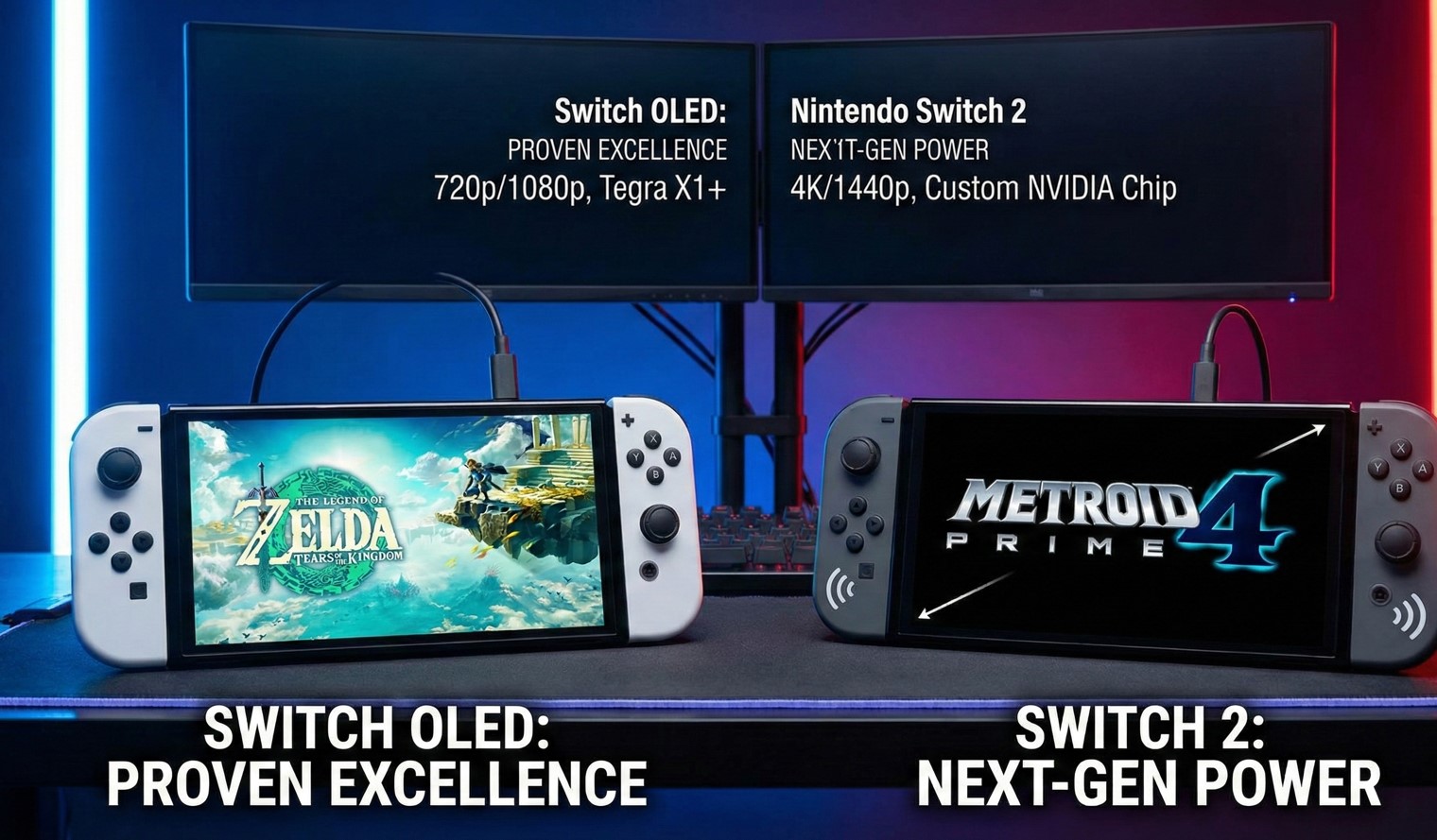
Here’s where things get messy. Rumors about Nintendo’s next console (unofficially called Switch 2) have circulated for years. Nintendo hasn’t officially announced anything concrete, but industry speculation suggests new hardware could arrive sometime in 2024 or 2025.
Should that impact your decision? Maybe. If you’re patient and your current gaming setup works fine, waiting might make sense. But Nintendo’s track record suggests its new console will likely maintain backward compatibility with existing Switch games, meaning your purchases won’t become obsolete overnight.
The Switch OLED was released, knowing full well that new hardware was in development somewhere at Nintendo. They’re not trying to trick anyone – the OLED model serves as the premium option within the current generation, not as a next-gen preview.
Gaming right now versus gaming eventually – that’s the real question. If waiting means missing out on Tears of the Kingdom, Pikmin 4, or whatever incredible titles release this year, is that worth it? Only you can answer that.
| Feature Comparison | Switch OLED | Standard Switch |
|---|---|---|
| Display | 7″ OLED, vibrant colors | 6.2″ LCD, standard quality |
| Kickstand | Wide, adjustable | Narrow, flimsy |
| Storage | 64GB internal | 32GB internal |
| Audio | Enhanced speakers | Standard speakers |
| Dock | Built-in ethernet | No ethernet port |
| Price | $349.99 | $299.99 |
| Battery | 4.5-9 hours | 4.5-9 hours |
Real-World Usage: What Actually Matters
After using both consoles extensively, the differences become clear in daily play. Morning commutes feel better with that OLED screen – colors pop even in bright sunlight (though glare still happens). Evening handheld sessions benefit from the improved contrast when playing in darker rooms.
The kickstand upgrade seems minor until you actually want to use tabletop mode. Suddenly, watching Netflix or playing Mario Kart with a friend during lunch breaks becomes genuinely practical instead of frustratingly precarious.
That Ethernet port in the dock? It’s a godsend for competitive online gaming. Wi-Fi works fine for single-player or casual online play, but serious Splatoon 3 ranked matches or Smash Bros tournaments benefit from stable wired connections.
Storage space affects peace of mind more than anything. Having room for a few extra digital games without immediately panicking about space management just feels better. It’s one less thing to worry about when a new release catches your eye.
But honestly? The performance parity means your actual gaming experience – frame rates, loading times, game quality – stays identical. You’re getting quality-of-life improvements, not next-gen upgrades.
Accessories and Extras Worth Considering
Both consoles benefit from the same ecosystem of accessories. A tempered glass screen protector costs like $10 and protects against scratches during portable play. A decent carrying case runs $20-30 and prevents damage during travel.
Additional Joy-Cons or a Pro Controller improve multiplayer sessions regardless of which console you own. MicroSD cards remain essential for digital game collectors – 256GB cards hover around $25-30 these days, giving you plenty of space for downloads.
The OLED model’s larger screen means some existing screen protectors might not fit perfectly, so make sure you’re buying accessories specifically designed for your model. The same goes for cases and grips – check compatibility before purchasing.
FAQ
Can I transfer my data from a regular Switch to an OLED model?
Yeah, Nintendo makes this pretty straightforward. You can transfer user data, save files, and screenshots using the built-in transfer tool. Takes maybe 30 minutes, depending on how much data you’ve accumulated. Your digital game purchases remain tied to your Nintendo account, so you can redownload everything on your new console.
Does the OLED screen drain battery faster than LCD?
Nope, battery life stays consistent between both models. Nintendo’s official estimates and independent testing show basically identical performance. The screen technology doesn’t significantly impact power consumption during typical gaming sessions.
Will my physical game cartridges work on both consoles?
Absolutely. Every physical Switch game works on both the standard and OLED models. There’s zero compatibility issues – just pop in the cartridge and play. Same goes for digital downloads from the eShop.
Is the OLED model worth it if I mostly play docked?
Probably not. If you’re primarily using your TV for gaming, you’re not benefiting from the improved screen, better speakers, or kickstand. The ethernet port in the dock is nice, but you can add that to a standard Switch dock with a cheap adapter. Save your $50 unless those other features matter to you.
Can I use my old Joy-Cons and accessories with the OLED model?
Yeah, all Joy-Cons, Pro Controllers, and most accessories work across both models. Some cases or grips might fit slightly different due to minor size changes, but controllers and most peripherals remain fully compatible.
Does the OLED have better graphics or performance?
No, both consoles use identical internal hardware. Games run at the same frame rates and resolutions. The OLED screen makes games look better in handheld mode due to improved color and contrast, but the actual rendering performance stays the same.
Should I wait for the Switch 2 instead of buying either model?
That depends on how patient you are and whether you have a Switch currently. If you’re playing on an aging console or don’t own one at all, waiting could mean missing out on amazing games available right now. Nintendo hasn’t officially announced their next console yet, and when they do, it’ll likely maintain backward compatibility anyway.
Final Thoughts
So where does that leave us? The Switch OLED offers tangible improvements that genuinely enhance handheld gaming. That screen really does make a difference if you spend significant time playing portably. The kickstand upgrade transforms tabletop mode from frustrating to functional. The extra storage provides welcome breathing room.
But the standard Switch remains perfectly capable of delivering the full Nintendo gaming experience. Every game works identically. Performance stays consistent. If you primarily play docked or you’re budget-conscious, skipping the OLED makes total sense.
This isn’t about one console being objectively better – it’s about which fits your gaming habits. Think honestly about how you actually play. Count up the hours you spend handheld versus docked. Consider whether that $50 difference impacts your budget significantly.
Both consoles give you access to Nintendo’s incredible first-party lineup, extensive indie library, and solid third-party ports. Both let you play Breath of the Wild, both run Tears of the Kingdom, both connect you to the same online community.
The OLED model is the premium version of an already great console. The standard Switch is the practical choice that delivers everything essential. Neither decision is wrong – they’re just different priorities meeting different needs.
And honestly? Whichever you pick, you’re getting access to one of gaming’s best libraries. The console debate matters way less than the games you’ll play on it. Whether you’re exploring Hyrule, catching Pokémon, or racing through mushroom kingdoms, that’s where the real magic happens anyway.