
GTA 6 WAiNK: The App Has Two Jobs, and Most Players Only Know About One
Everyone has worked out that WAiNK scans cars. Point your phone at a parked vehicle, read its security, decide whether to steal it. That part is well covered. What a lot of players haven’t realised is that the same app is also a collectible system – one with 100 locations scattered across Leonida, a dedicated trophy, and a requirement for 100% completion. Right now there are people fifty hours into this game who’ve scanned four hundred cars and nine landmarks, and who are going to face a long, tedious map tour at the end because of it.
Here’s both halves of the app, and the one habit that handles the second half without any effort at all.
What GTA 6 WAiNK Actually Is?
WAiNK is the scanner app on Jason and Lucia’s phone. Players refer to scanning something as “WAiNK-ing it,” which is clearly the joke Rockstar was going for, and the app appears variously as WAiNK, WAiNK It, and Wainkit depending on where you look.
Cal installs it during the Chapter 1 mission Unwanted Attention, which doubles as the scan tutorial. If it isn’t on your phone yet, you haven’t reached that mission.
It functions as reconnaissance for vehicles and as a logging tool for points of interest. Those are genuinely separate systems that happen to share an interface.
How to Open It?
There’s a shortcut, and it’s considerably faster than the alternative.
Hold Up on the D-pad to go straight into WAiNK mode, rather than opening the phone and navigating to the app.
From there:
- Aim your view at whatever you want to scan.
- Wait for the scannable reticle marker to appear once it’s centred.
- Hold R1 / RB to complete the scan.
That’s the whole interaction. Two seconds once you’ve got the muscle memory.
Job One: The Car Scanner
This is the function everyone knows, and it’s genuinely transformative for how car theft works.
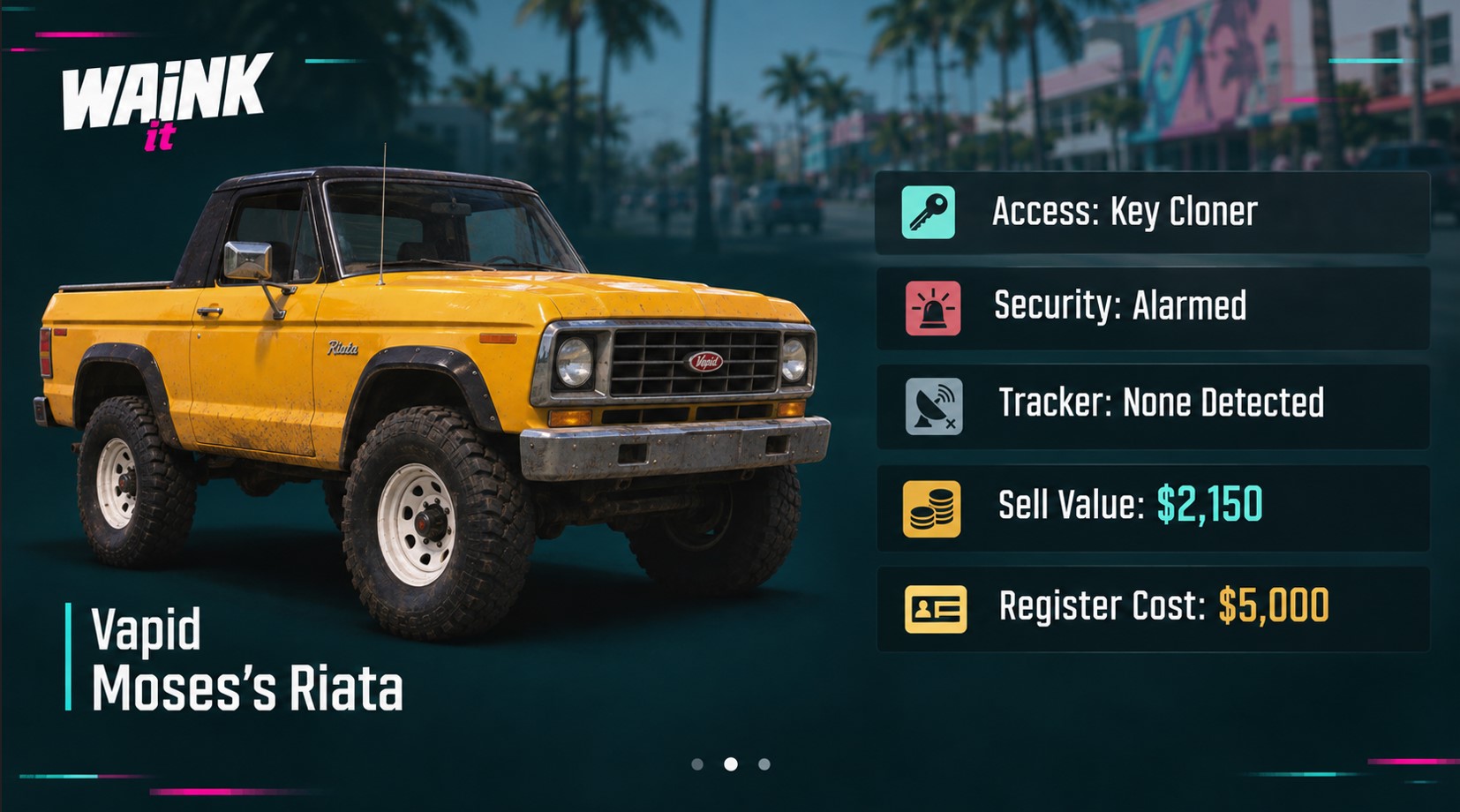
| What the Scan Shows | Why It Matters |
|---|---|
| Make and model | Identifies exactly what you’re looking at |
| Lock status | Whether you need a tool to get in |
| Alarm | Whether a window smash will alert the neighbourhood |
| Keyless | Whether it can be hotwired at all |
| Tracker tier | None, Standard, or Advanced |
| Condition | Whether it needs repair before selling |
| Sale value | What a fence will pay |
| Registration cost | What it costs to keep as a personal vehicle |
| Required theft equipment | Which tool the job needs |
| Suitable fence | Whether to take it to Moses, Randy or a Pay ‘n’ Spray |
That last row is the underrated one. The scan doesn’t just tell you whether you can take the car – it tells you who to sell it to, which removes the guesswork from boosting as an income strategy.
WAiNK also lists models that fences are actively looking for, turning aimless theft into targeted work.
And you can scan cars in showrooms, including places like Status Auto Imports, to check what you’d be dealing with before you ever attempt anything.
Reading a Scan Properly
The tracker reading appears in the bottom-right corner, and it’s the single most important line on the card:
- No tracker means Moses will register or buy it from Chapter 2. Clean, simple, go.
- Standard Tracker means you need Chapter 3 and a Pay ‘n’ Spray to strip it first – but these sell for more once stripped.
- Advanced Tracker means you need the Key Cloner, you’ll have to maintain speed to avoid alerting police, and you’ll need a signal-blocking drop-off. Highest value, most work.
Checking that one field before you break a window saves an enormous amount of wasted effort. There’s no point lifting a car Moses won’t take if you’re still in Chapter 2.
The Tracker Rule of Thumb
Useful shortcut for when you’re deciding whether a scan is even worth the two seconds:
Cheap cars usually carry no tracker at all. Mid-range cars typically have a Standard Tracker. Supercars almost always have an Advanced Tracker.
Which produces a slightly deflating truth about the early game: the more desirable the car, the less likely you can do anything with it yet. In Chapter 2, an ordinary saloon is worth more to you than a parked supercar you can’t register.
Scan anyway. The rule holds most of the time, not all of it, and the exceptions are where the value is.
Job Two: 100 Scans, a Trophy and 100% Completion
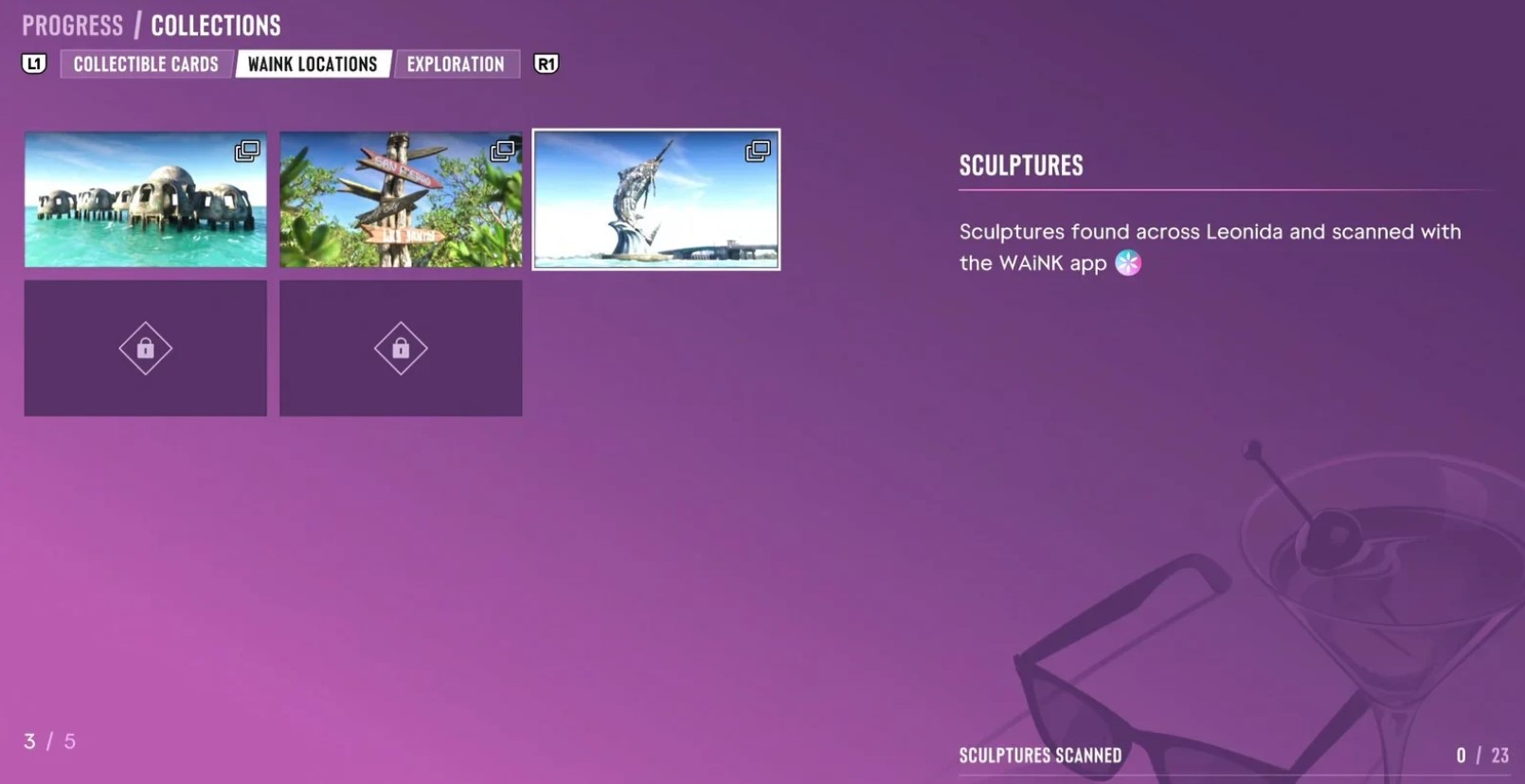
Here’s the half people are missing. WAiNK logs points of interest across Leonida, and you need 100 WAiNK locations scanned for 100% game completion. There’s a silver trophy attached – You WAiNKer! – for finding and scanning all of them.
Progress is tracked under Progress → Collections → WAiNK Locations.
This is a genuine collectible hunt sitting inside an app most people treat as a car-theft utility, and it’s easy to reach the endgame with barely any of it done.
What Counts as a WAiNK Location?
| Category | Notes |
|---|---|
| Landmarks | Notable places across Leonida |
| Curiosities | Oddity spots and points of interest |
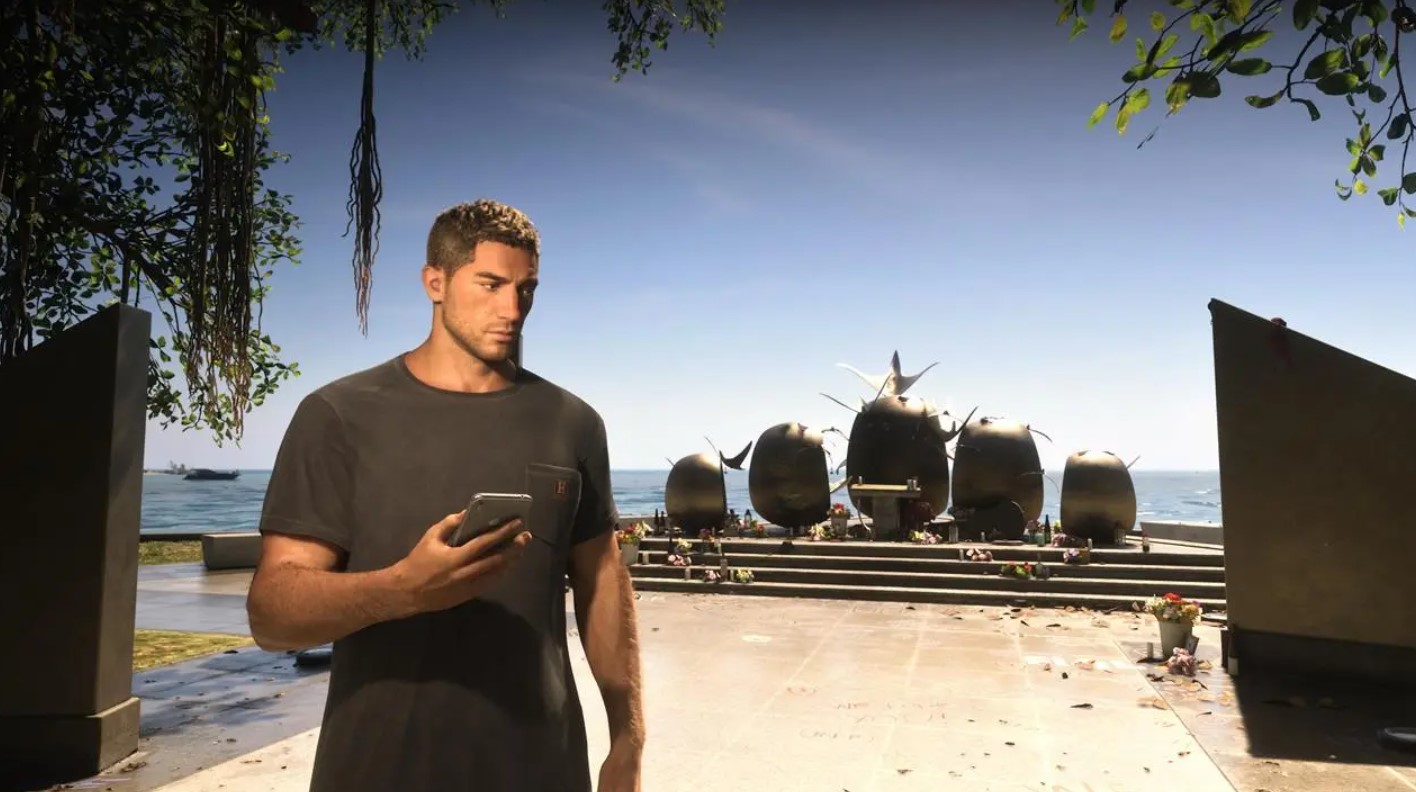
| Sculptures | Public art and installations |
| No Flusher tags | Tied to the No Flusher content |
| Magazine tattoos | Reportedly 17 of them |
| Peewees billboards | Four total; scanning the first starts the competition |
| Wrecks | Three in Port Gellhorn for the Transgressor set |
One count puts the named landmarks, curiosities, sculptures and No Flusher tags at around 57, with the remainder made up by the smaller sets.
The Peewees billboards are a nice piece of design: scanning the first one automatically enters you into a competition to find all four, with no mission required to start it. You discover the collectible by finding part of it.
The Habit That Solves This Passively
Here’s the important mechanical detail, and it changes the whole approach. Landmark scanning works by proximity. When you get near something scannable, WAiNK pops a prompt automatically. You don’t have to know it’s there, and you don’t need a map of locations.
Which means:
- Keep WAiNK in mind while you play story missions. Progress accumulates on its own.
- Scan whenever the prompt appears, even mid-mission if you safely can. It’s a two-second hold.
- Don’t plan a dedicated tour. You’d be driving to locations you’d have passed anyway over fifty hours of play.
- Check the Collections tracker occasionally to see how you’re doing without obsessing over it.
- Treat it like fishing or workouts – something you top up as you go rather than confront as a block of grinding.
A hundred scans sounds like a lot. Spread across a campaign where the game actively tells you when something is scannable, it’s almost nothing. Left until after the credits, it’s an afternoon of driving.
Scanning Tips Worth Knowing Before Using GTA 6 WAiNK
- The D-pad Up shortcut is the only way to do this comfortably. Going through the phone menu every time will make you stop bothering.
- Scan before you touch any car, always. The two seconds prevents nearly every car theft mistake.
- Scanned cars count toward the base model vehicles list, so there’s a completion incentive to scan things you have no intention of stealing.
- Check the fence recommendation, not just the value. The right buyer makes a real difference to what you’re paid.
- Use it in showrooms. Scanning display cars tells you what tools you’ll need later, for free.
- Watch the bottom-right corner for the tracker reading. It’s the field that determines whether the theft is viable at all.
Mistakes People Are Making
- Only scanning cars. The collectible half is worth a trophy and a chunk of 100% completion, and it’s being widely ignored.
- Navigating through the phone menu. The hold-Up shortcut exists specifically so scanning is quick enough to do habitually.
- Smashing windows before scanning. You may have just alarmed a keyless car you could never have started.
- Ignoring the prompt when it appears. That’s the game telling you there’s a collectible within range.
- Assuming the app came later. It’s a Chapter 1 install via Unwanted Attention – if you don’t have it, keep playing.
- Not checking the registration cost before deciding to keep a car. It’s right there on the card.
Why the GTA 6 WAiNK App Works So Well?
Worth a short word on the design, because WAiNK is one of the smarter things in GTA 6. Car theft in previous games was a reflex. You saw a car, you pressed a button, you drove off. There was no decision in it. The scanner turns that into a judgement call. Can I get in? Will it scream? Can I keep it? Who buys it? What’s it worth? All of that is surfaced before you commit, which means the theft itself becomes the outcome of a plan rather than an impulse.
Then Rockstar attached a collectible system to the same app, which gives you a reason to open it when there’s no car in front of you – and wired it to proximity prompts so the collectible hunt happens naturally during play.
Two systems, one interface, and both of them encourage you to look at the world more carefully. For an app with a joke name, it’s doing a lot of work.
FAQ
What is WAiNK in GTA 6?
A phone scanner app that reads vehicle security and value, and logs landmarks, sculptures and other points of interest as collectibles.
How do you open WAiNK?
Hold Up on the D-pad for the direct shortcut, then aim at your target and hold R1 or RB to scan.
When do you get the WAiNK app?
Cal installs it during the Chapter 1 mission Unwanted Attention, which also serves as the scanning tutorial.
What does a WAiNK car scan show?
Make, model, lock status, alarm, keyless status, tracker tier, condition, sale value, registration cost, required theft tools, and which fence suits the car.
How many WAiNK locations are there?
100 scans are required for 100% completion, covering landmarks, curiosities, sculptures, No Flusher tags, magazine tattoos, billboards and wrecks.
What is the You WAiNKer trophy?
A silver trophy awarded for finding and scanning all 100 WAiNK locations across Leonida.
Where do you track WAiNK progress?
Progress → Collections → WAiNK Locations.
Scan Everything
The short version: WAiNK is the first step of every car theft and the quiet backbone of a 100-item collectible hunt, and most people are only doing the first part. Build the shortcut into your reflexes – hold Up, aim, hold R1 – and the car half takes care of itself. For the collectible half, simply respond to the prompt when it appears. The game is telling you something is there precisely so you don’t need a checklist.
Do that from the start, and you’ll finish the story with most of the 100 already logged. Ignore it and you’ll spend an evening driving to sculptures.
If this saved you from a post-credits landmark tour, pass it on – share it, bookmark it, send it to whoever’s scanned a thousand cars and zero statues. And if you’ve got a creative or commercial project worth a closer look, T-Minus scans deeper than the paintwork.